Accounting software for shops
From a kiosk to a shop with several branches: sell and print the bill in a moment, know what each customer owes on credit, and close the drawer at the end of the day against your count.
Fits your kind of shop
Your account starts set up for your kind of shop, and you add more when you need it.
Retail shop
From a kiosk to a large store: sell by the piece or the meter, customers' credit, and what's running low.
Wholesale
Sell by the carton or the piece, with a statement for every customer.
Spare parts
The part number as the SKU, a barcode, and its origin.
Your phone is the cashier
Scan each product with the phone's camera and the sale builds itself. You don't need to buy a barcode scanner or a cash register.
Point the camera at the box: a beep, and the item is on the sale at its price.
Scan it again for one more. A scan that adds nothing sounds different and says why.
Fix a count right under the camera, with plus and minus or by typing it.
A USB or Bluetooth barcode scanner works too, if you have one.
Scanning works the same way when goods arrive from a supplier.
Switch on “Scan products by barcode” in Settings, then take the payment and print or send the bill as usual.
Scan
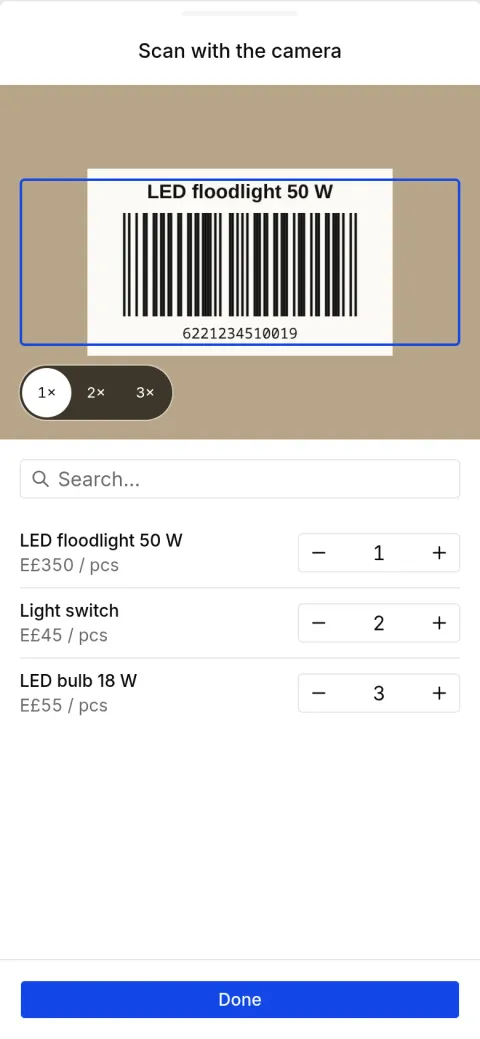
The sale is built
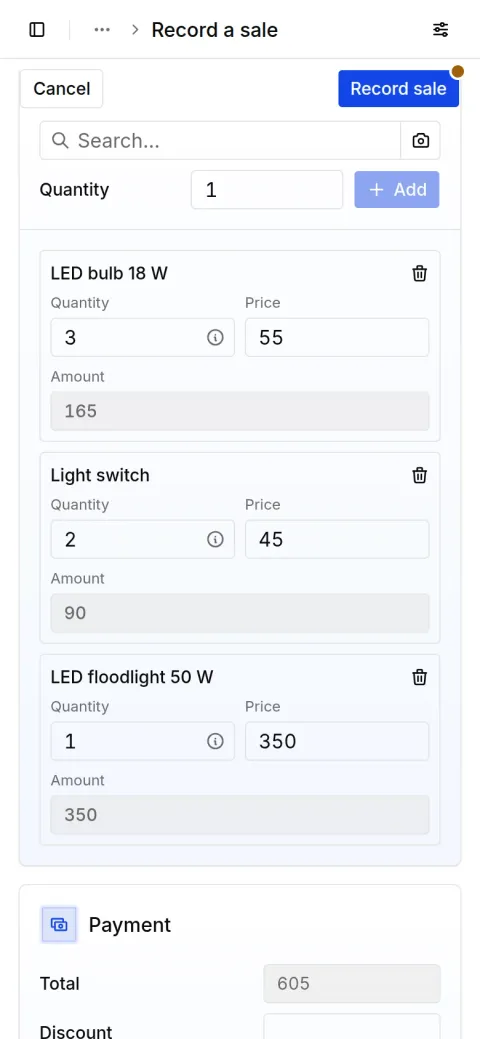
Everything at the counter, recorded as it happens
From the first bill to closing the drawer.
The sale
Pick the items or scan them, then print the bill with your shop's name or send it to the customer on WhatsApp.
How to make a sales invoiceThe credit book
What each customer took on credit and what they paid back, and a WhatsApp reminder for whoever is late.
How to keep the debt bookWhat's on the shelf
The supplier's bill adds to stock, every sale takes from it, and you see what's running low.
How to keep track of stockThe shop's expenses
Shop rent, shop electricity and the helper's day wage, so you know what left the drawer.
The drawer at closing
Count the drawer against what you recorded, see any shortage or over, then close the day.
How to close the drawer
Questions shop owners ask
Have a question? Message us on WhatsApp
Does it suit a kiosk or a small shop?
Yes. It starts with what a small shop needs, sales, credit and cash, and you add more as you need it, branches included.
Can I print the bill with my shop's name?
Yes. Print it with your shop's name and logo, or send it to the customer as a PDF or a WhatsApp link.
Does it work with more than one branch?
Yes. Add your branches under Locations: each has its own sales, cash and stock, and each person works in their own branches.
Record your next day in Taqfil
Sales, purchases and your cash in one place, on your phone or computer.
With your Google account
Have an account? Sign in
Have a question? Message us on WhatsApp
Sale recorded
Al Huda Real Estate
E£640
Payment in on Vodafone Cash
From Al Huda Real Estate
E£640
Day closed
Cash matches your count
E£4,000