Sales bills
Pick the items and the prices fill in; print the bill, or save it as a PDF to send.
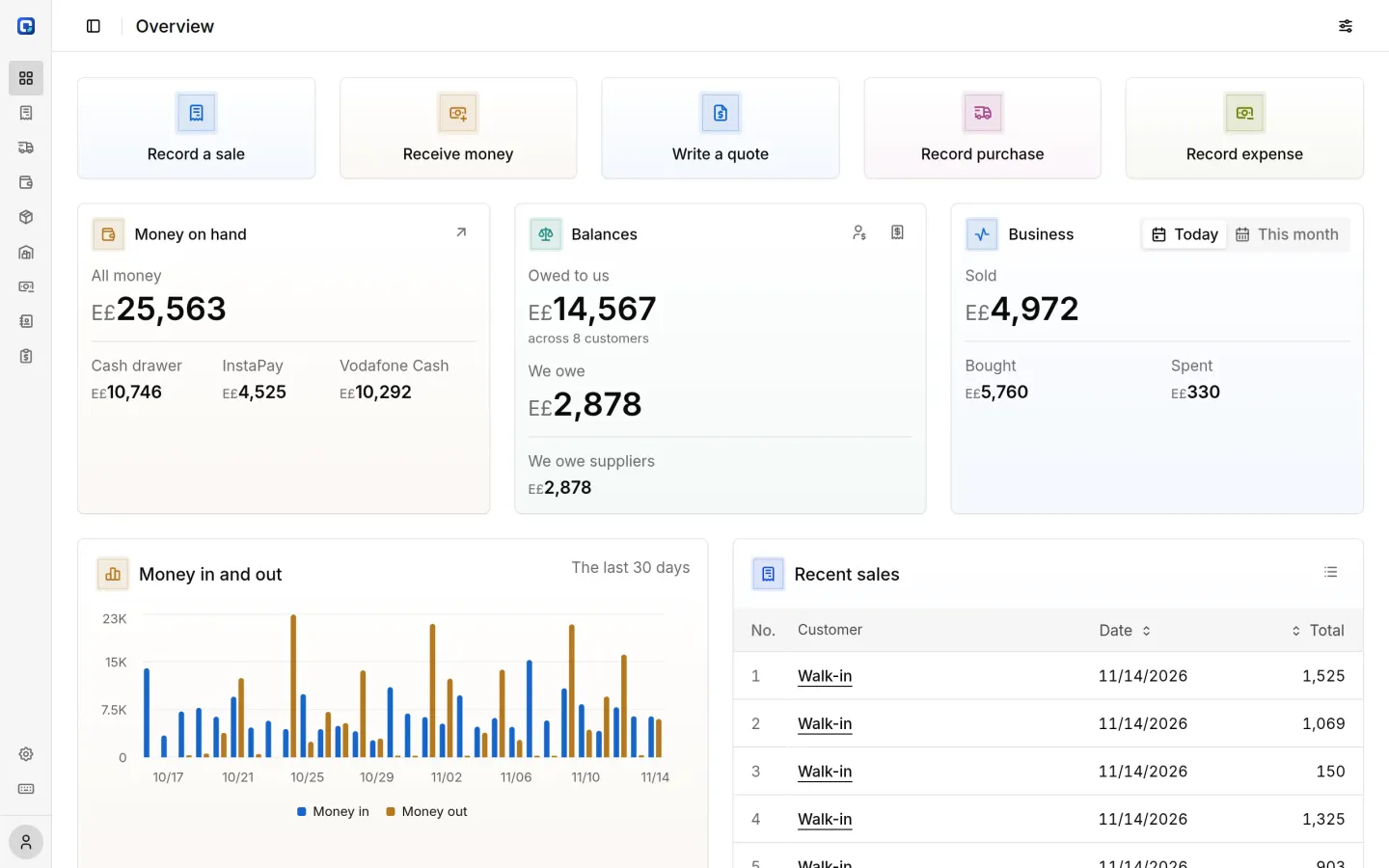
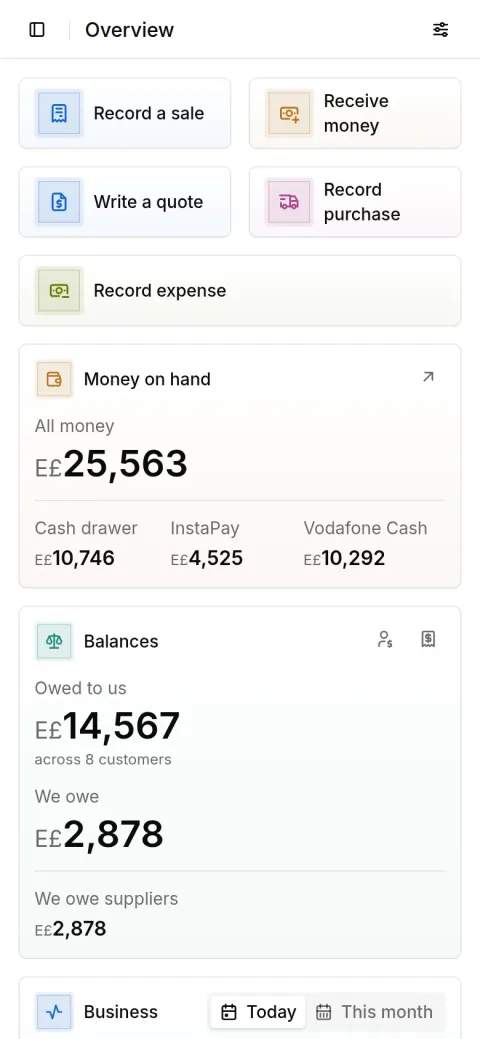
For business owners in Egypt, from a small shop to several branches, no accounting knowledge needed. Record every sale and purchase as it happens, and know your cash and who owes you at any moment.
With your Google account
Runs in the browser on your phone, tablet or computer, and installs like an app.
Sale recorded
Al Huda Real Estate
E£640
Payment in on Vodafone Cash
From Al Huda Real Estate
E£640
Day closed
Cash matches your count
E£4,000
From a kiosk to a large store: sell by the piece or the meter, customers' credit, and what's running low.
Sell by the carton or the piece, with a statement for every customer.
The part number as the SKU, a barcode, and its origin.
A project for each customer, with its materials and payments in stages.
A workshop or a factory: turn raw materials into products, with workers' pay and the cost of every batch.
Each truck's trip and its freight, and loads sent straight from the supplier.
Each test from its sample to its approved result, with reagent stock and staff salaries.
Grow seedlings at a known cost, hold customers' orders with money up front, and take a deposit on trays that come back.
What each machine earns and costs, with work by the hour, the day or the ton.
Start simple and switch on more as you grow: branches, transport, production, projects, barcodes, origin.
From the first bill to closing the day.
Pick the items and the prices fill in; print the bill, or save it as a PDF to send.
Every customer's and supplier's balance, and a statement of account for any period.
Draft a quote in minutes; once the customer accepts, it becomes their order.
Enter the supplier's bills and returns; stock and their balance follow, and you see what's running low.
Cash, InstaPay and wallet each with its own balance; close the day against your count.
Rent, power and day wages, so you know what money went out.
A mistyped payment or bill is voided and stays on record, so nothing goes missing.
The questions you ask every week, answered from your own books.
The profit on each item for any period, so you know what's worth stocking more of.
Reports › ProfitSales by customer, by item and by day.
Reports › SalesDebts by age show who is furthest behind; remind them on WhatsApp in one tap.
Reports › Debts by ageWhat's running low, and what expires soon so you sell it first.
OverviewEvery amount that came in or went out, for any period.
Money › MovementsAnd if you need a hand, we bring them in with you.
Upload the file as it is.
AI suggests what each column holds: the name, the selling price, the quantity.
Review and confirm; nothing is saved until you do.
Start with one place and add branches as you open them. Pick one branch or every branch, and every screen and report follows.
Every sale and supplier bill is filed at its branch, and prints with that branch's address and phone.
Each branch has its own cash, and you close each branch's day on its own, against your count.
Each item's stock and low point at each branch, and transfers between branches.
Give each person the branches they work in, and they work in those alone.
Free during the trial
With your Google account
Your account is set up for your kind of business, and you invite your people.
We help you bring in your old records.
Your feedback decides what we add next.
Have a question? Message us on WhatsApp
No. You record sales, purchases and payments in the words you already use, and it works out the balances and the stock.
No. It opens in the browser on any device; installing it like an app is optional. It needs an internet connection.
Yes. Type ١٢٫٥ or 12.5 and it reads both.
No. It keeps its files on your device after the first visit, then only sends what you record and view.
No. Each business has its own workspace, open only to you and the people you invite, each in their own role.
Yes. Upload an Excel or CSV file, confirm what it suggests, and we'll help if you need it.
Yes. It's yours: download any list as an Excel file whenever you like.
Sales, purchases and your cash in one place, on your phone or computer.
With your Google account
Have an account? Sign in
Have a question? Message us on WhatsApp
Sale recorded
Al Huda Real Estate
E£640
Payment in on Vodafone Cash
From Al Huda Real Estate
E£640
Day closed
Cash matches your count
E£4,000